Turn an enquiry into a booking
Enquiries from your ZAtours and Route22 listing arrive in OpDesk. One click turns an enquiry into a booking that is already filled in.
- 1
An enquiry comes in from the directory
Guests enquire on your ZAtours or Route22 listing. Their dates, party size and message land in Enquiries.
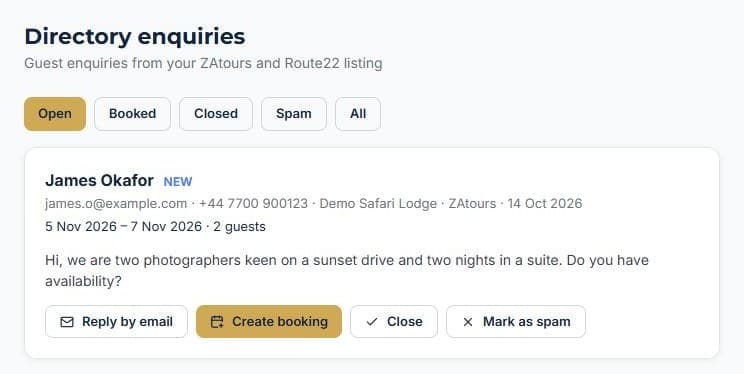
- 2
Click Create booking
A new booking opens already filled in with the guest, contact details, dates and party size.
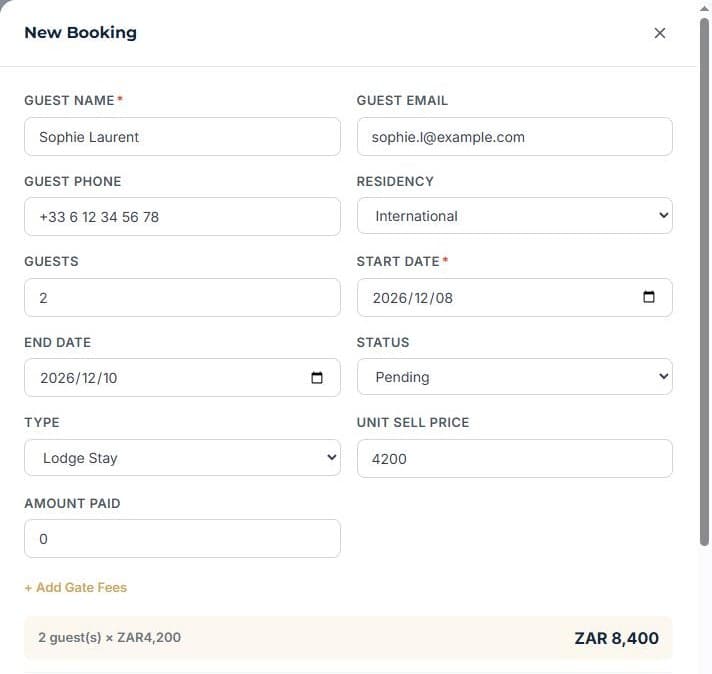
- 3
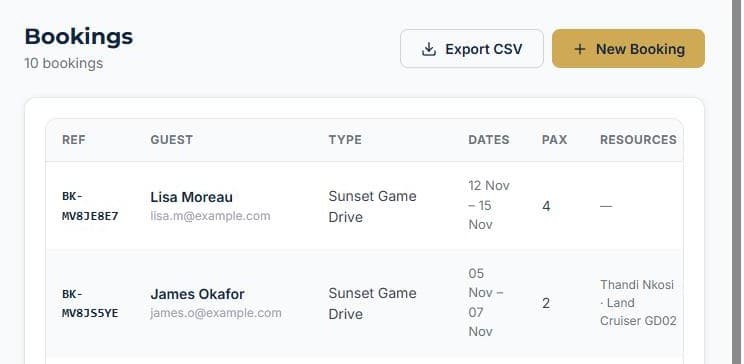
Price it, assign your team, save
Add the price, pick a guide and vehicle, and it sits in your bookings list.
More how-to guides
How to add a staff memberGive a teammate a loginTrack staff certificationsHow to add a vehicleHow to add a roomHow to create a bookingTake bookings on your own websiteInvoice a booking and track paymentKeep a firearm registerLog vehicle maintenanceNever miss a renewalSend a quote and convert itRoster shifts and approve leaveTake deposits online with PayFastSet up your tours and ratesRun your rooms day to dayGet found on ZAtours and Route22Never leave without the binocularsBill regular clients on autopilotKnow what is happening without logging inKnow what is on every vehicleYour rules, in one handbookSee what your team really costsKeep your operators and suppliers in one placeKnow your profit on every deliveryStop double bookings with Airbnb and Booking.comDraw your reserve on the mapSet up your reserve teamLog every sighting from the field
See it running your business
Start free — no credit card required.