Set up your reserve team
Give each team leader their own login and vehicle, then list their volunteers, workers and researchers underneath, no login needed for the crew.
- 1
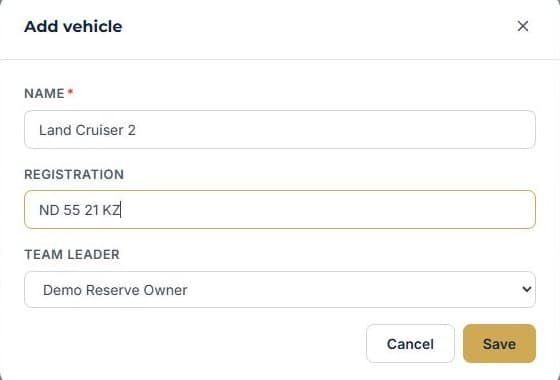
Give each team leader a vehicle
Pick the team leader and add their vehicle and registration. Distance driven adds up automatically from their outings.
- 2
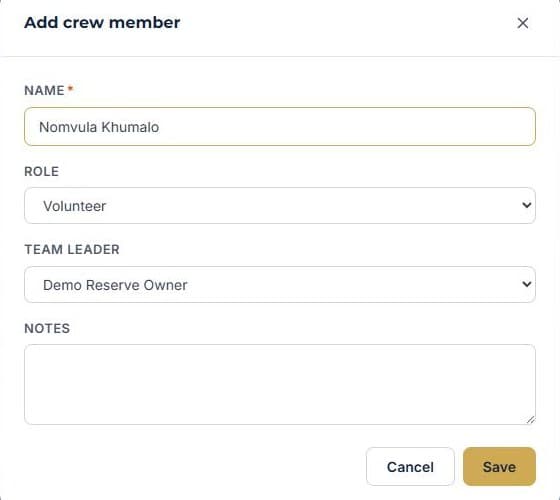
Add their crew
Volunteers, workers and researchers don't need a login. Just add them by name under their team leader.
- 3
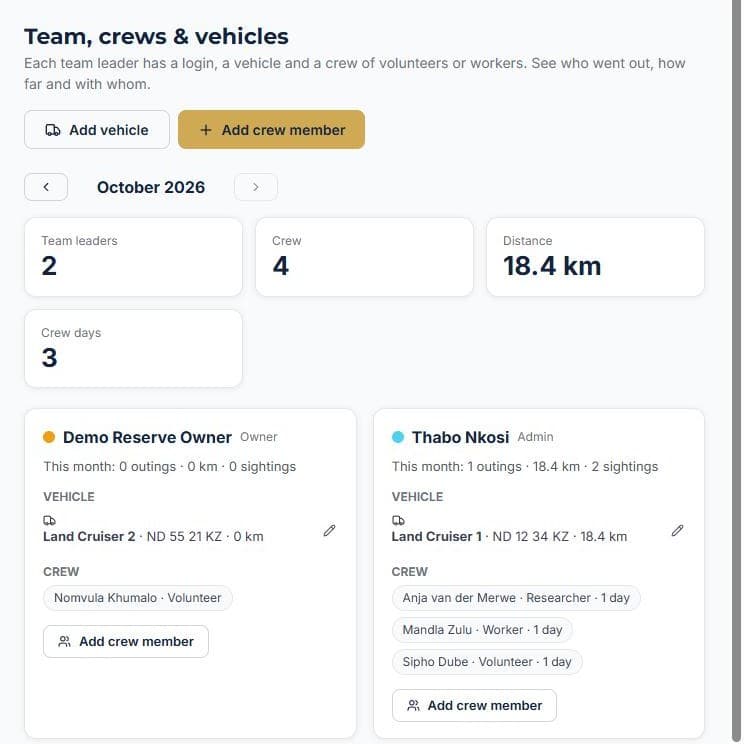
See the whole team at a glance
Outings, distance, sightings and crew days for everyone, for the month.
More how-to guides
How to add a staff memberGive a teammate a loginTrack staff certificationsHow to add a vehicleHow to add a roomHow to create a bookingTake bookings on your own websiteTurn an enquiry into a bookingInvoice a booking and track paymentKeep a firearm registerLog vehicle maintenanceNever miss a renewalSend a quote and convert itRoster shifts and approve leaveTake deposits online with PayFastSet up your tours and ratesRun your rooms day to dayGet found on ZAtours and Route22Never leave without the binocularsBill regular clients on autopilotKnow what is happening without logging inKnow what is on every vehicleYour rules, in one handbookSee what your team really costsKeep your operators and suppliers in one placeKnow your profit on every deliveryStop double bookings with Airbnb and Booking.comDraw your reserve on the mapLog every sighting from the field
See it running your business
Start free — no credit card required.