All how-to guides

Lay out your restaurant floor plan

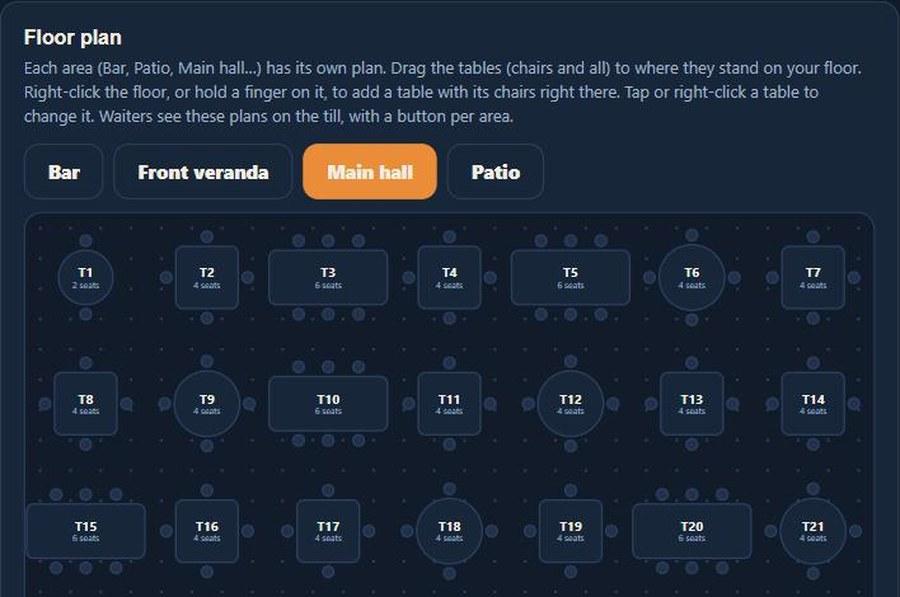
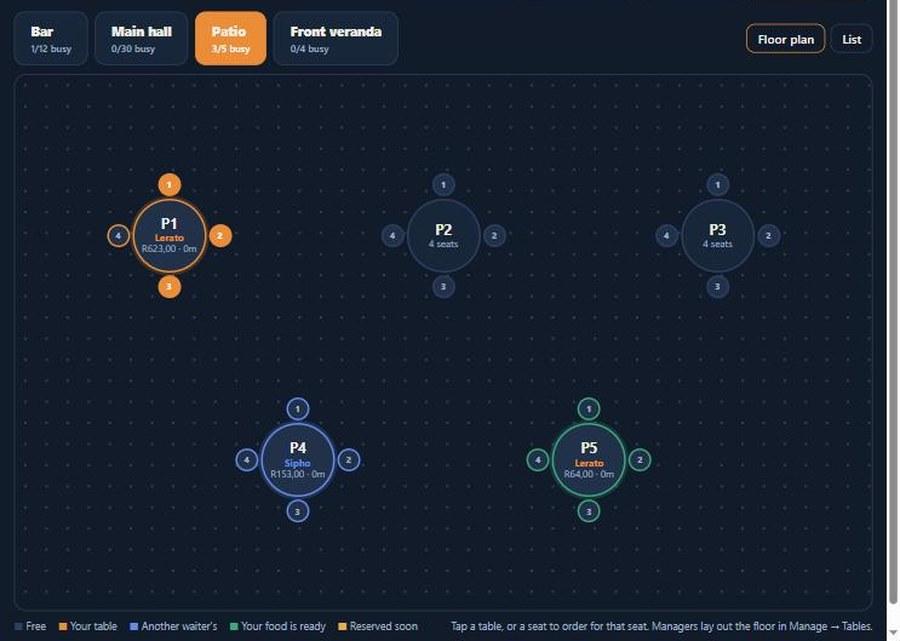
Give every area of your restaurant its own floor plan: the bar with its stools, the patio, the veranda and the main hall. Tables sit where they really stand, with their chairs around them, so waiters tap the table in front of them and see at a glance which tables are free, whose they are and where the food is ready.

  1. 1

    Make an area for each space

    Bar, patio, veranda, main hall. Each gets its own button on the till and its own floor plan.
    Lay out your restaurant floor plan: Make an area for each space
  2. 2

    Drop tables where they stand

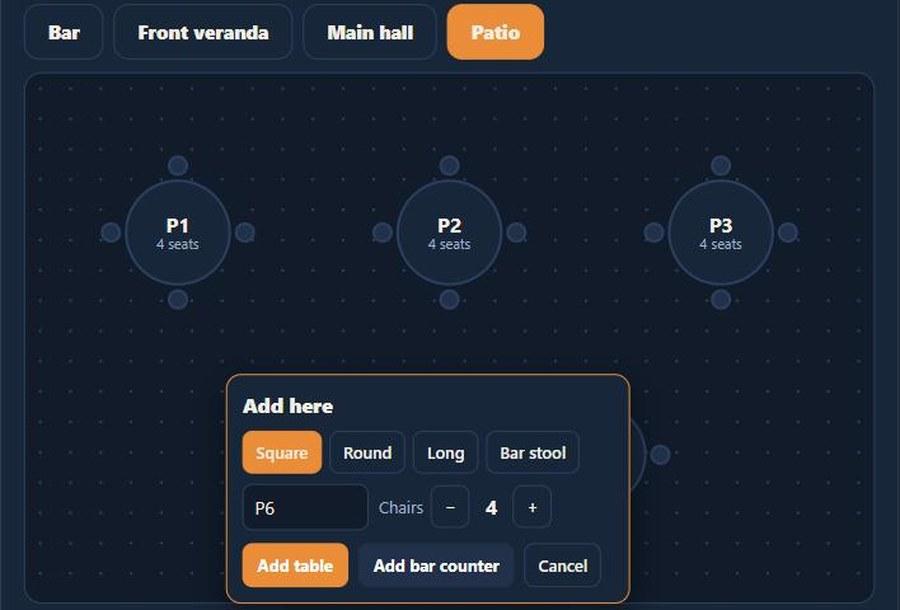
    Right-click the floor (or hold a finger on it), pick the shape and chairs, and the table lands right there. Drag to move it.
    Lay out your restaurant floor plan: Drop tables where they stand
  3. 3

    Add the bar counter and stools

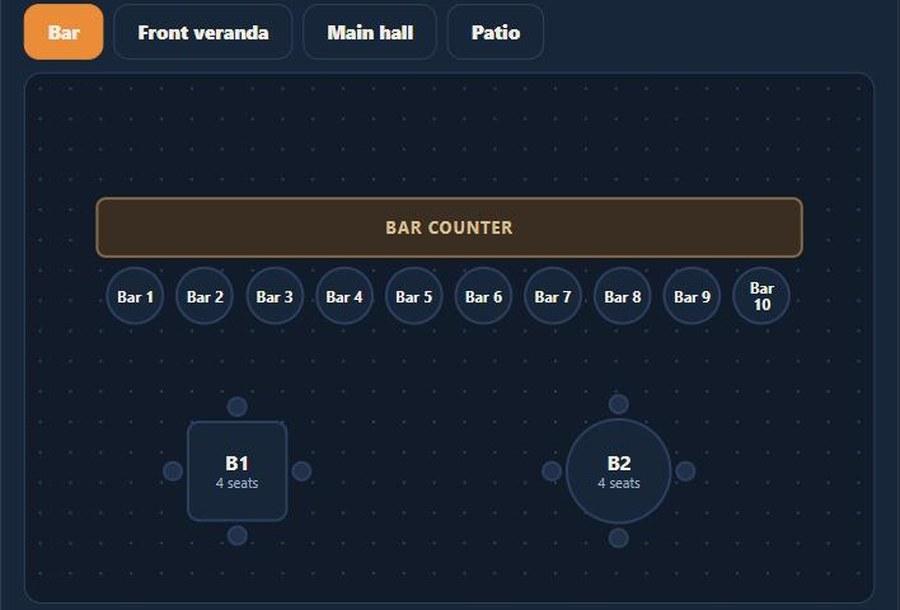
    One click adds a counter with a row of stools. Every stool runs its own bill.
    Lay out your restaurant floor plan: Add the bar counter and stools
  4. 4

    Waiters see it live

    Free, yours, another waiter's, food ready or reserved: the colours tell the story at a glance.
    Lay out your restaurant floor plan: Waiters see it live

More how-to guides

How to add a staff memberGive a teammate a loginTrack staff certificationsHow to add a vehicleHow to add a roomHow to create a bookingTake bookings on your own websiteTurn an enquiry into a bookingInvoice a booking and track paymentKeep a firearm registerLog vehicle maintenanceNever miss a renewalSend a quote and convert itRoster shifts and approve leaveTake deposits online with PayFastSet up your tours and ratesRun your rooms day to dayGet found on ZAtours and Route22Never leave without the binocularsBill regular clients on autopilotKnow what is happening without logging inKnow what is on every vehicleYour rules, in one handbookSee what your team really costsKeep your operators and suppliers in one placeKnow your profit on every deliveryStop double bookings with Airbnb and Booking.comDraw your reserve on the mapSet up your reserve teamLog every sighting from the fieldTake orders by table and seatSplit the bill by seatCost every plate on your menuPrep recipes and kitchen batchesGive your staff their own till PIN

Run your restaurant on OpTill

Restaurant POS with floor plans, split bills, recipe costing and month-end profit. 30 days free, no credit card.

Start for Free View Pricing