See your real profit for the month
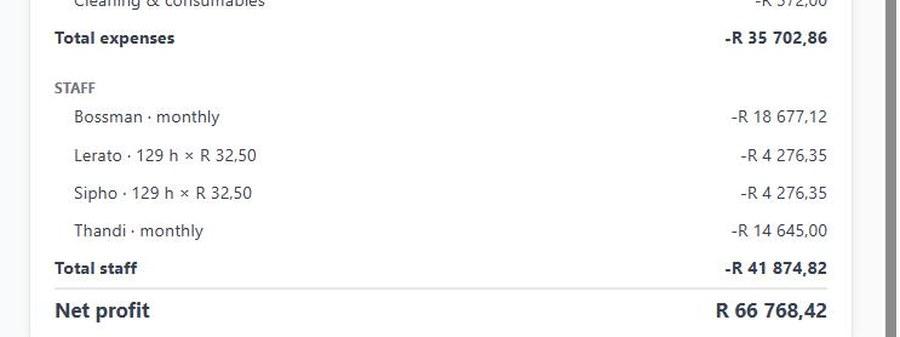
Most restaurant owners only find out what they made when the accountant sends the books, months later. OpTill puts the month together as you trade: till sales split into food and drinks, cost of sales from the stock you bought and the stock still on the shelf, running costs, staff pay and the net profit at the bottom.
- 1
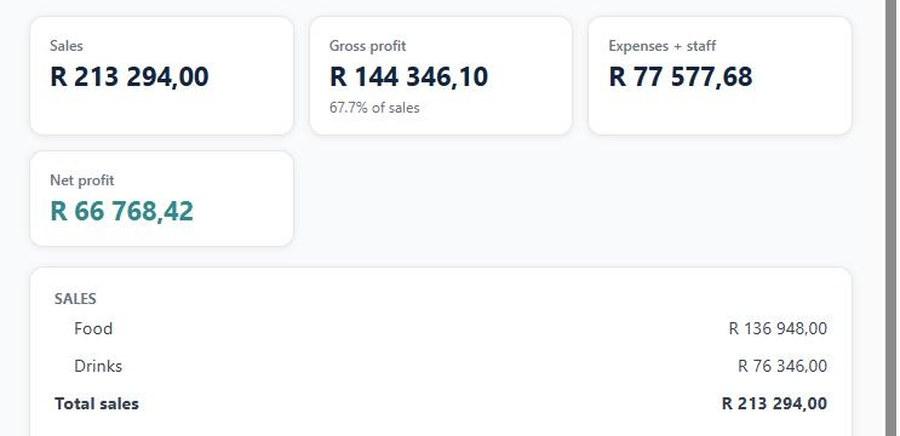
Sales, split food and drinks
Every till sale, cash or card, lands in the month. Tips stay out: they're your staff's money.
- 2
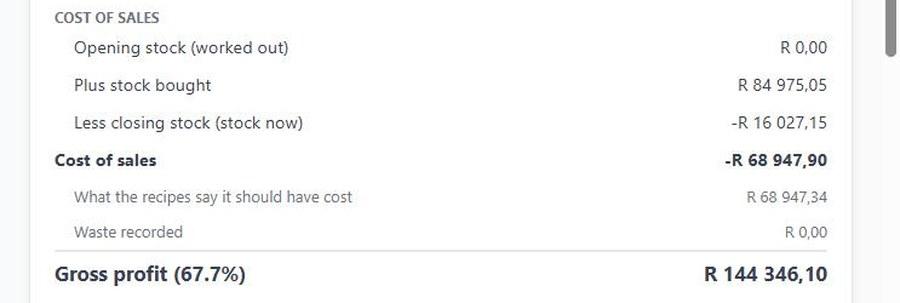
Cost of sales from real stock
Stock bought, less what's still in the stores. Next to it, what your recipes say it should have cost.
- 3
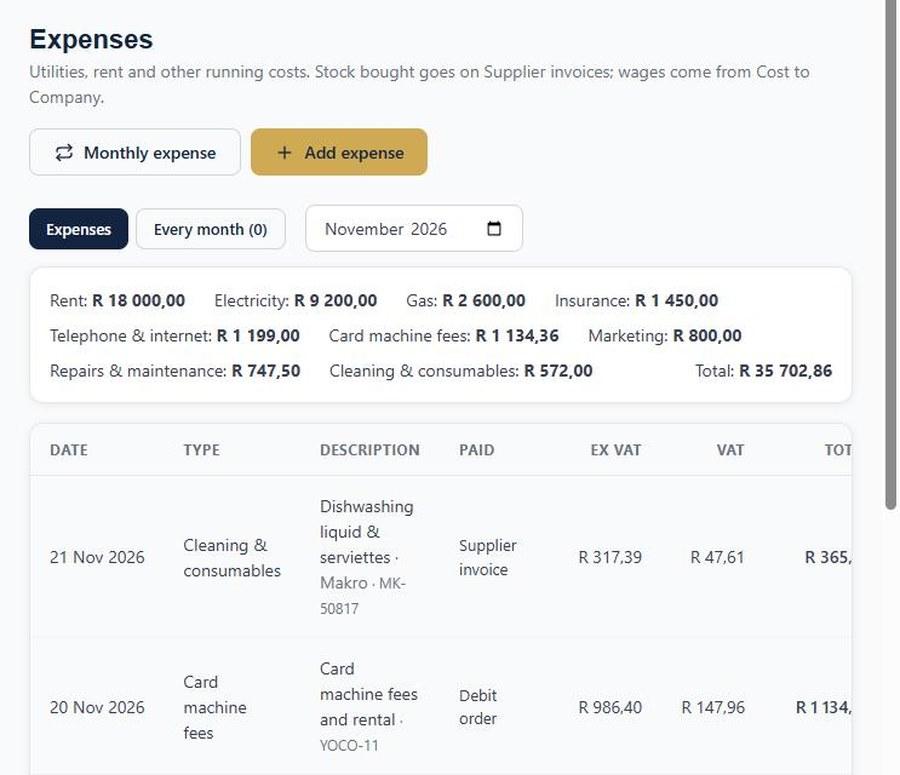
Running costs in one place
Rent, electricity, gas, card fees. Capture each one, or set it up once as a monthly expense.
- 4
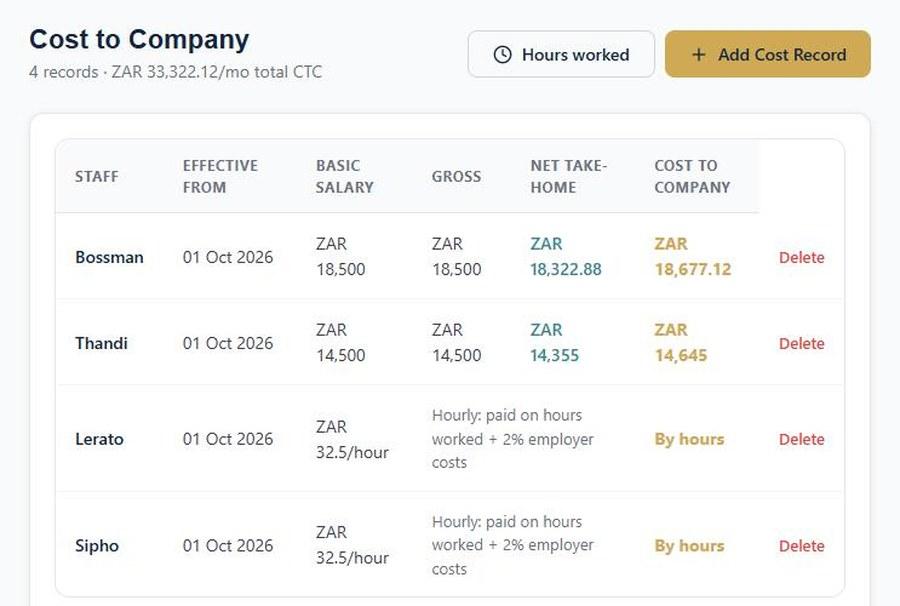
Staff pay, monthly or hourly
Managers on a salary, waiters paid on the hours they clocked in, plus employer costs.
- 5
Your net profit
Gross profit less expenses and staff. Close the month after a stock count to lock it in.
Run your restaurant on OpTill
Restaurant POS with floor plans, split bills, recipe costing and month-end profit. 30 days free, no credit card.