
OpTill by OpDesk
The till for restaurants, bars and cafés
Floor plans, orders by seat, split bills, a kitchen screen, recipe costing, stock and your real profit at month-end. It runs on your own OpTill box at the venue, so it keeps trading when the internet drops.
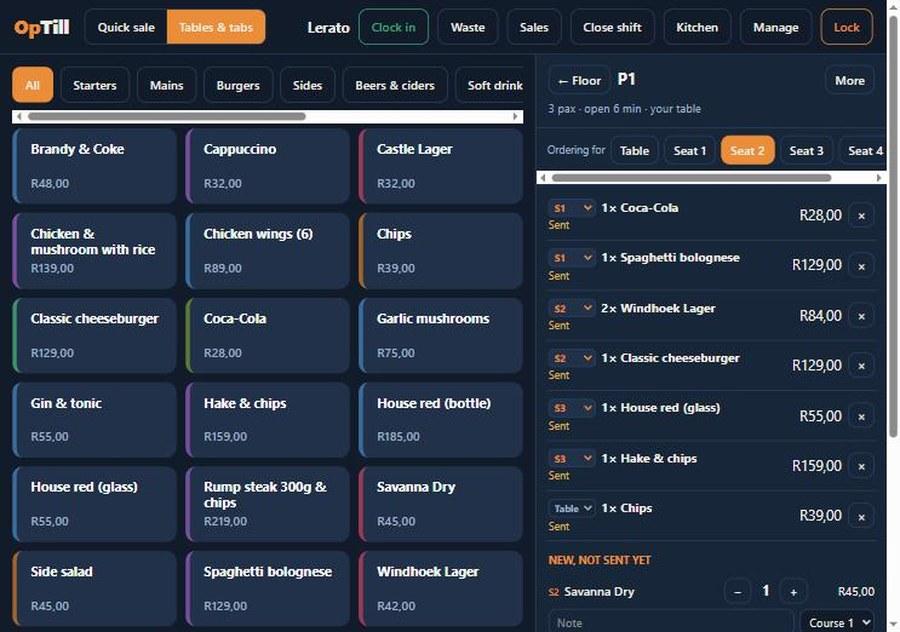
Your floor plan on the till
Every area, table, bar stool and seat where it really stands. Green free, orange open bill, red to be cleared.
See how →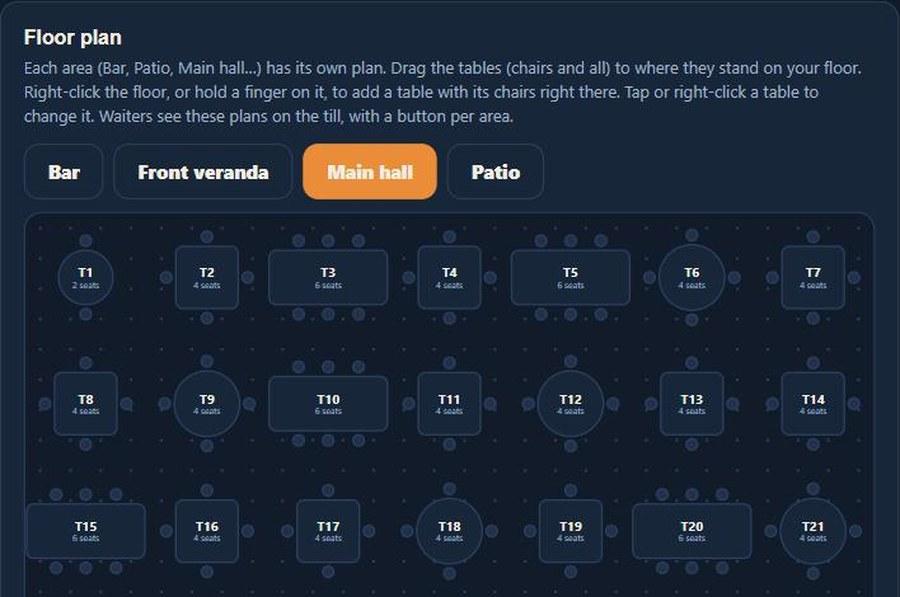
Orders by seat, bills split in a tap
Items are tagged S1, S2, S3 to the kitchen ticket, so each guest pays for their own.
See how →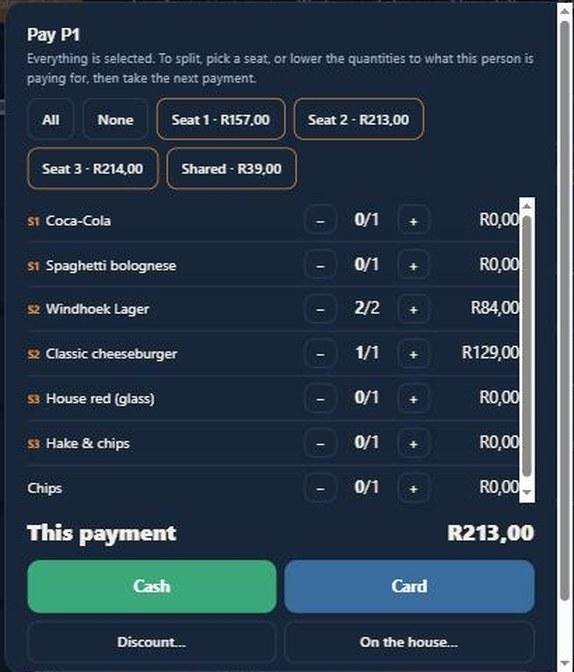
Know what every plate costs
Recipes in grams and millilitres, trim and cooking loss counted. Cost, profit and food-cost % per dish.
See how →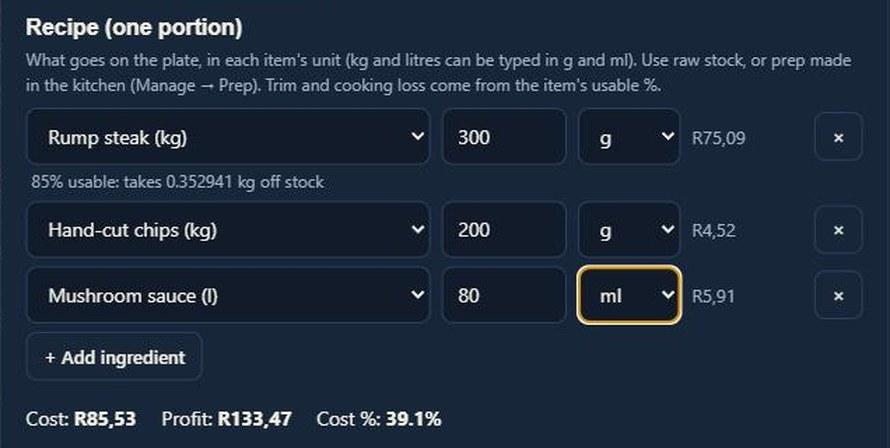
Your real profit, as you trade
Sales, cost of sales from real stock, expenses and staff pay on one page, every month.
See how →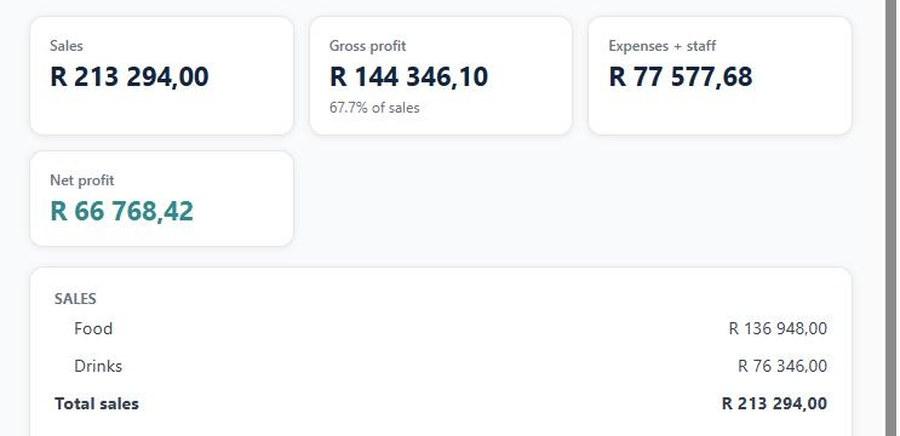
Also in OpTill
- Kitchen & bar screen, or printed tickets
- Staff PINs, manager approval for voids and discounts
- Shifts with cash float and cash-up
- Prep batches: sauces and chips costed properly
- Supplier invoices book stock in at real cost
- Reservations, takeaway and delivery (Restaurant)
- Customer accounts and on-account sales (Restaurant)
- Touch screens, tablets and receipt printers
One price, your own box
Prices include VAT. Try it free for 14 days first; no card needed.
OpTill box
- Unlimited tills, tablets and kitchen screens
- Floor plan, orders by seat, split bills
- Reservations, takeaway, delivery and customer accounts
- Menu costing, stock, prep and profit & loss
- Runs on your own Windows PC at the venue
- Daily backups on the box
- Updates and WhatsApp/email support included
When the internet goes down
Nothing changes on the floor. The tills talk to the box over your own network, so orders, kitchen tickets, bills and cash-up all carry on.
Put the box and the router on a small UPS. Tills on battery (tablets, laptops) carry on; when the power is back everything is where you left it.
Up to 30 days. The box checks its licence with us whenever it has internet. Out of signal for longer? We send you an unlock code by WhatsApp to type in. Your sales and data are never deleted or locked away.
Your bank's card machine works on its own SIM or line, as it does today. OpTill records the sale as card once the machine approves it.
Running a lodge on OpDesk? Add OpTill to it for R349 a month and charge meals to rooms. See OpDesk plans
Order an OpTill box, or ask us anything
The box runs on the venue's back-office PC, or on the main till if there's no server. Download the installer, leave the serial empty and you get 14 days free; activate from inside OpTill when you're happy. Or tell us about your venue and we'll set it up with you.
What the box PC needs
- Windows 10 or 11 (64-bit)
- 16 GB RAM and a 128 GB SSD or bigger
- A network cable to your router (not Wi-Fi)
- Tills: any touch screen PC or tablet with a browser