Get found on ZAtours and Route22
Every OpDesk plan includes a listing on the ZAtours and Route22 travel directories. Guests find you, enquire or book, and it all lands in OpDesk.
- 1
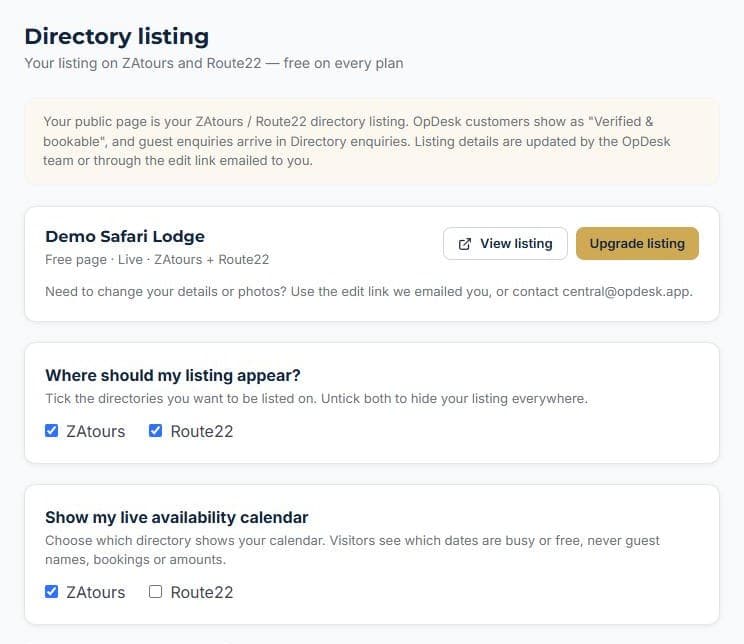
Choose where you appear
In Settings, Directory listing, tick ZAtours, Route22 or both. You can also show your live availability calendar.
- 2
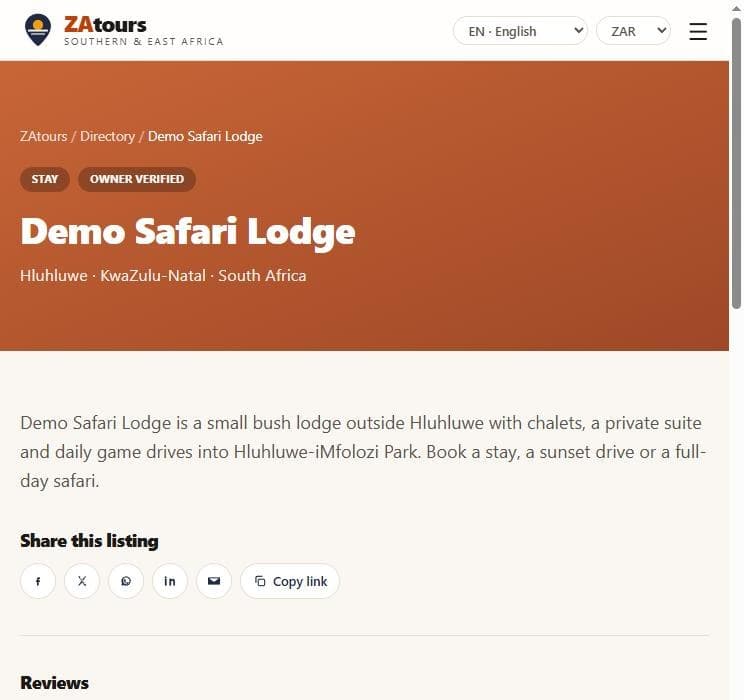
Your own listing page
Travellers find your page in the directory, in five languages, with your description and a link to book.
- 3
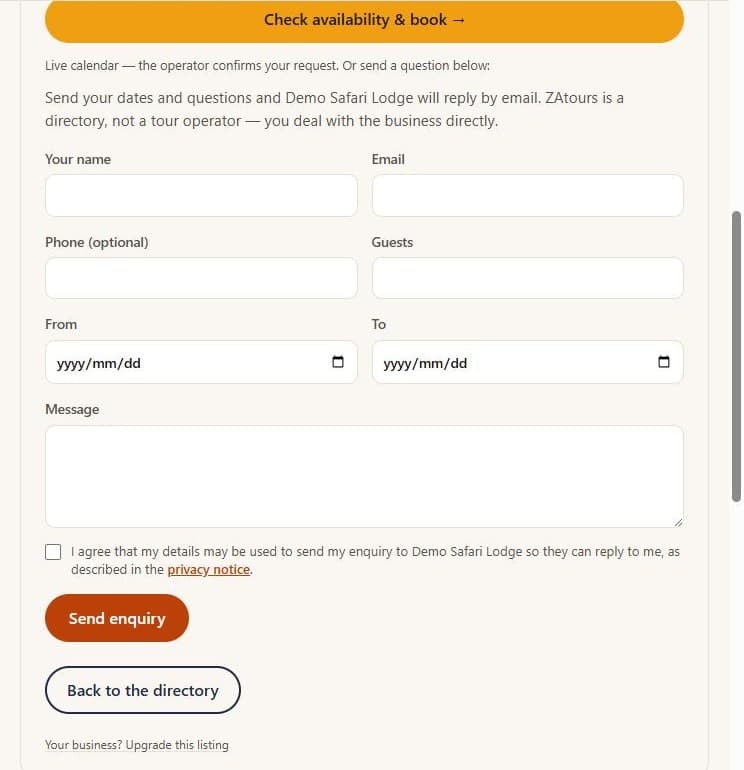
Guests enquire or book
They send their dates and questions, or check availability and book straight through your booking widget.
- 4
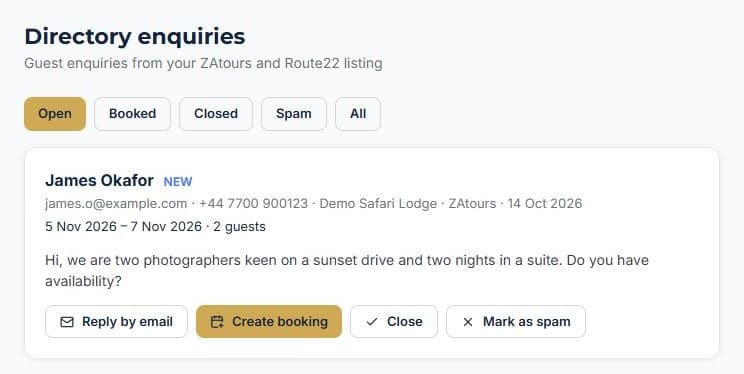
Enquiries land in OpDesk
Every enquiry arrives in Directory enquiries, ready to turn into a booking in one click.
More how-to guides
How to add a staff memberGive a teammate a loginTrack staff certificationsHow to add a vehicleHow to add a roomHow to create a bookingTake bookings on your own websiteTurn an enquiry into a bookingInvoice a booking and track paymentKeep a firearm registerLog vehicle maintenanceNever miss a renewalSend a quote and convert itRoster shifts and approve leaveTake deposits online with PayFastSet up your tours and ratesRun your rooms day to dayNever leave without the binocularsBill regular clients on autopilotKnow what is happening without logging inKnow what is on every vehicleYour rules, in one handbookSee what your team really costsKeep your operators and suppliers in one placeKnow your profit on every deliveryStop double bookings with Airbnb and Booking.comDraw your reserve on the mapSet up your reserve teamLog every sighting from the field
See it running your business
Start free — no credit card required.