Keep your tender documents up to date
Most tenders are lost on paperwork, not price. Type your company details once, keep every compliance document with its dates, and AmaThenda tells you what is missing or about to run out before you submit.
- 1
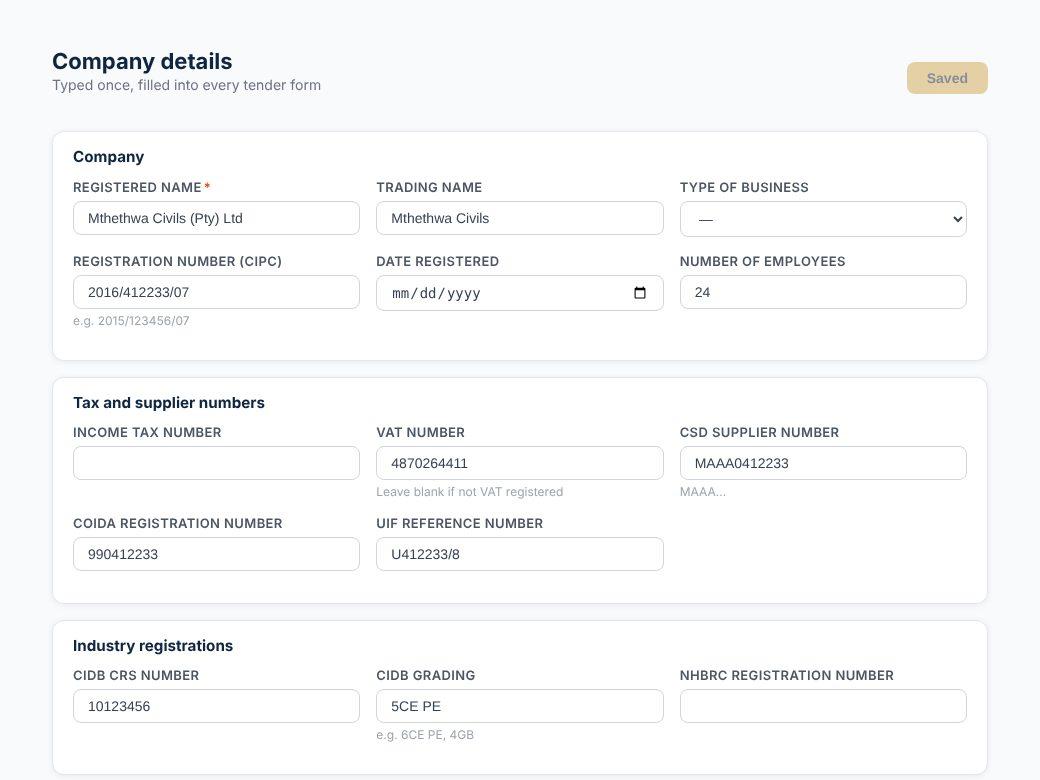
Type your company details once
Registered name, registration, tax, VAT, CSD, COIDA and CIDB numbers. They fill in every tender form and quotation from then on.
- 2
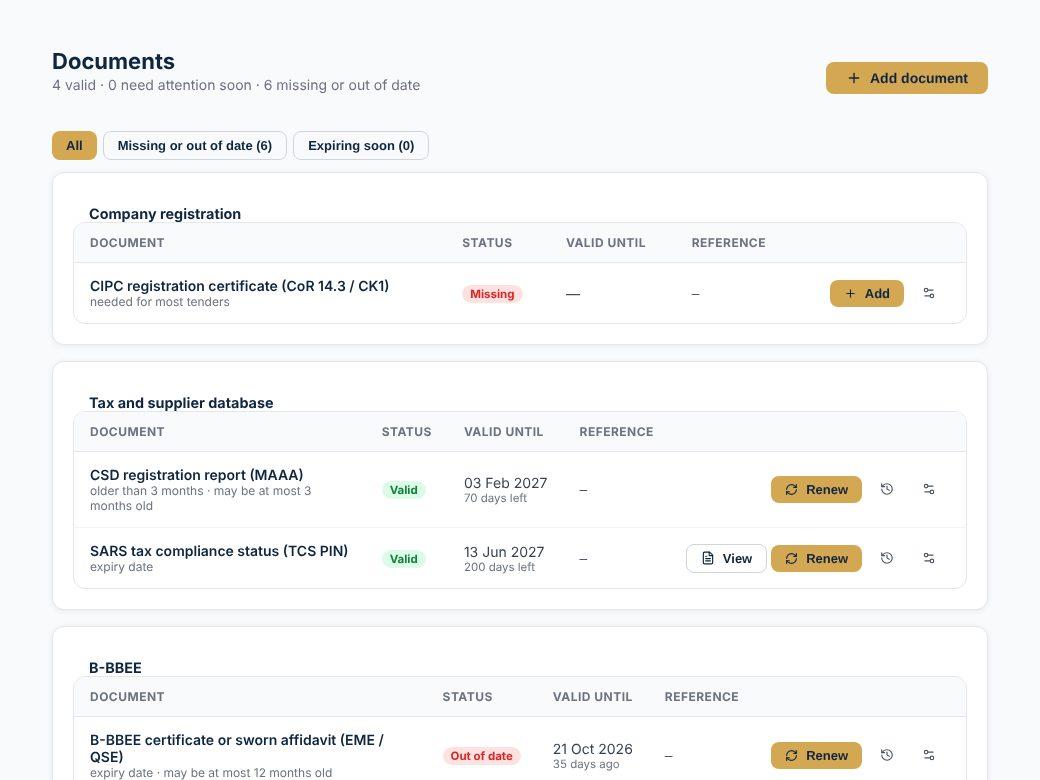
Add each document with its dates
Documents are grouped the way tenders ask for them. Each one shows whether it is valid, running out soon, missing or out of date.
- 3
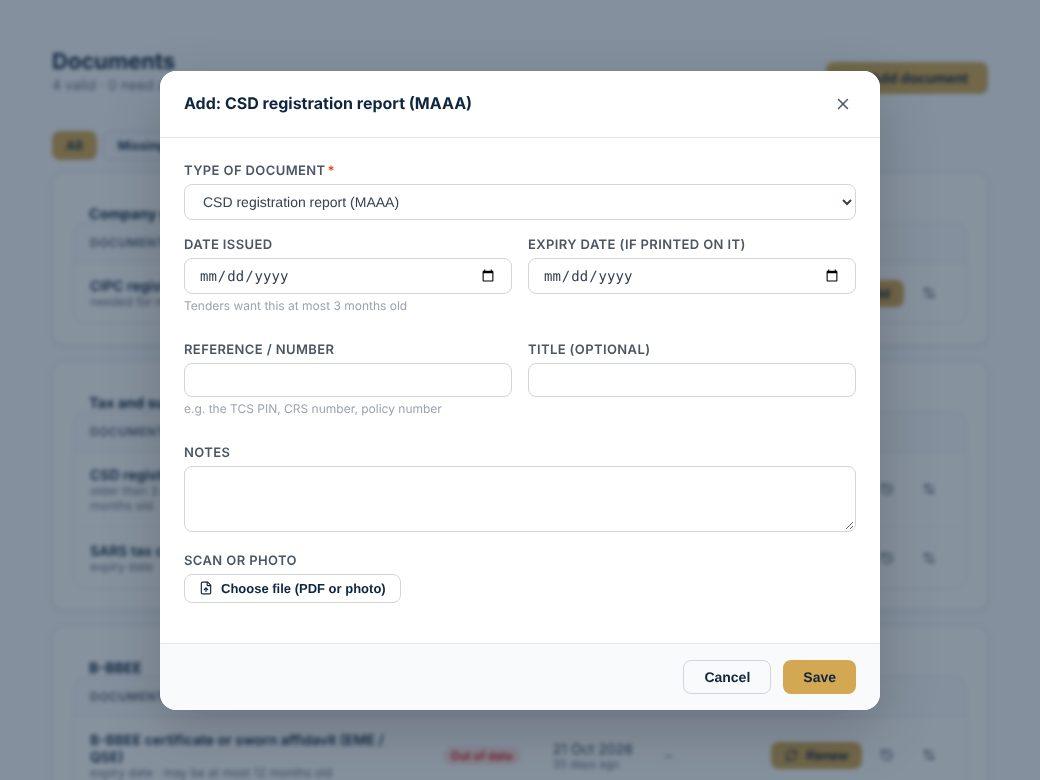
Renew in two clicks
Add the new issue date, expiry date and a scan or photo. The old one is kept in the history, and AmaThenda knows rules like the CSD report's 3-month limit.
- 4
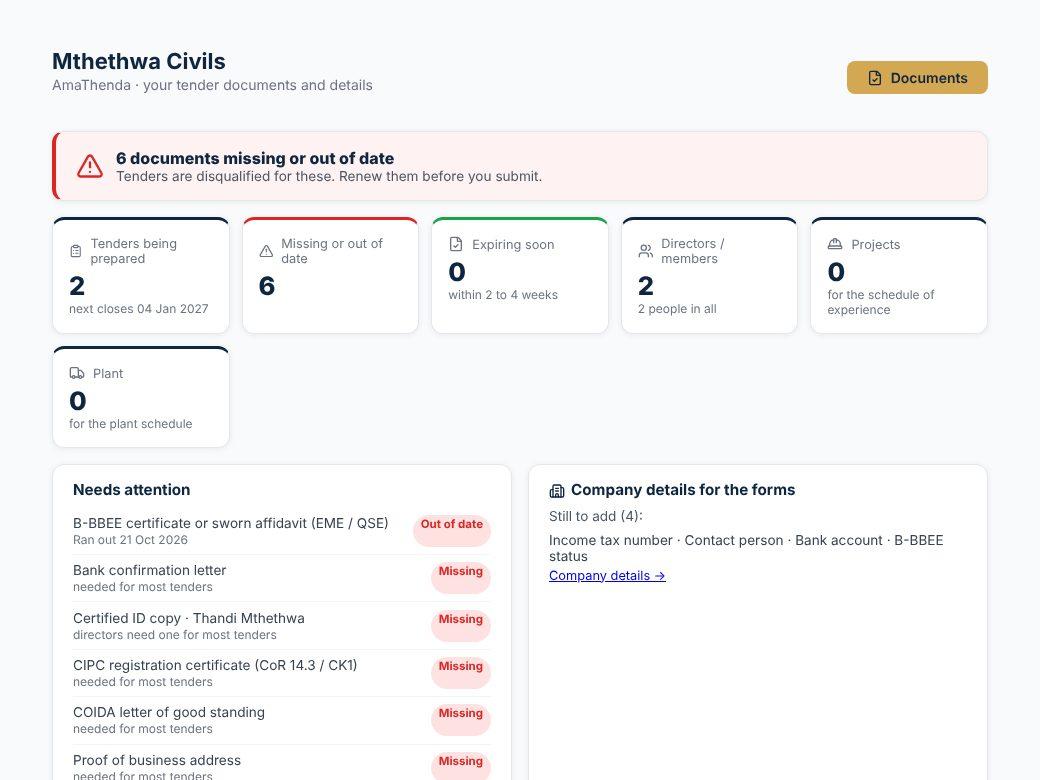
See what needs attention
The overview lists everything missing or out of date, so you fix it before a closing date, not after.
Win more tenders with AmaThenda
Compliance documents, eTenders alerts, tender packs, estimates and quotations on your office PC. R999 a month, 14 days free.