Find tenders and get daily alerts
AmaThenda reads the government eTenders feed twice a day. Search it by province, kind of work and CIDB grade, add the ones you want to your tenders, and set alerts so new matches land in your inbox each morning.
- 1
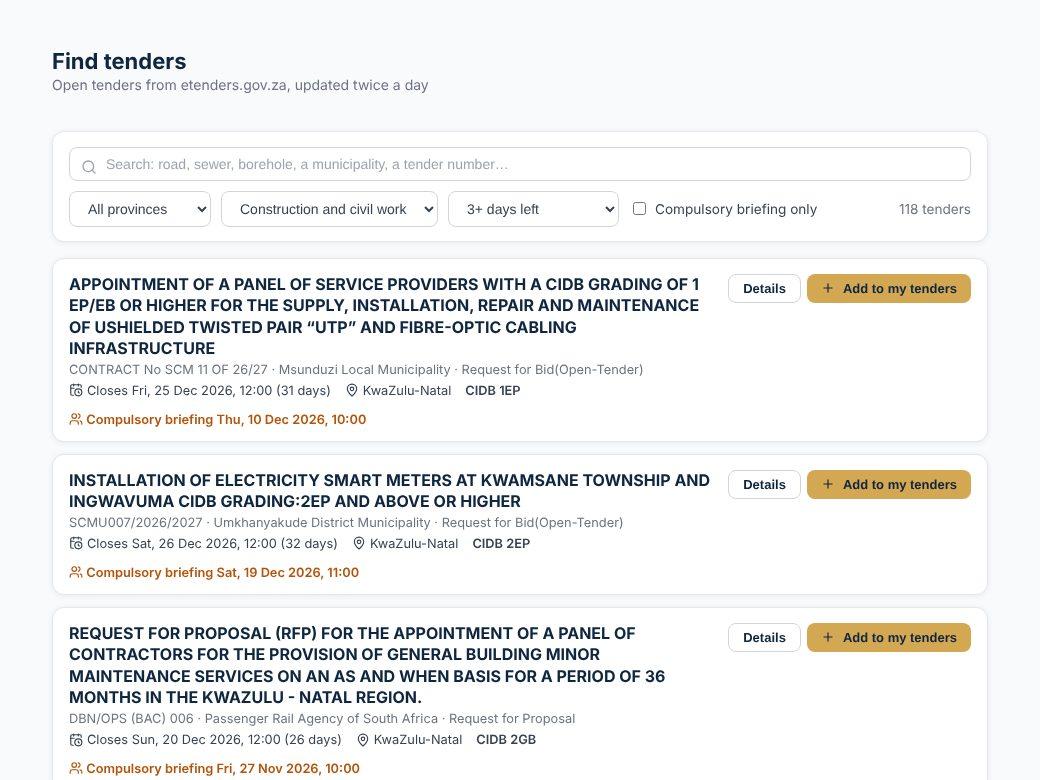
Search open tenders
Filter by province, kind of work, days left and compulsory briefings. Each tender shows its closing date, briefing and CIDB grade.
- 2
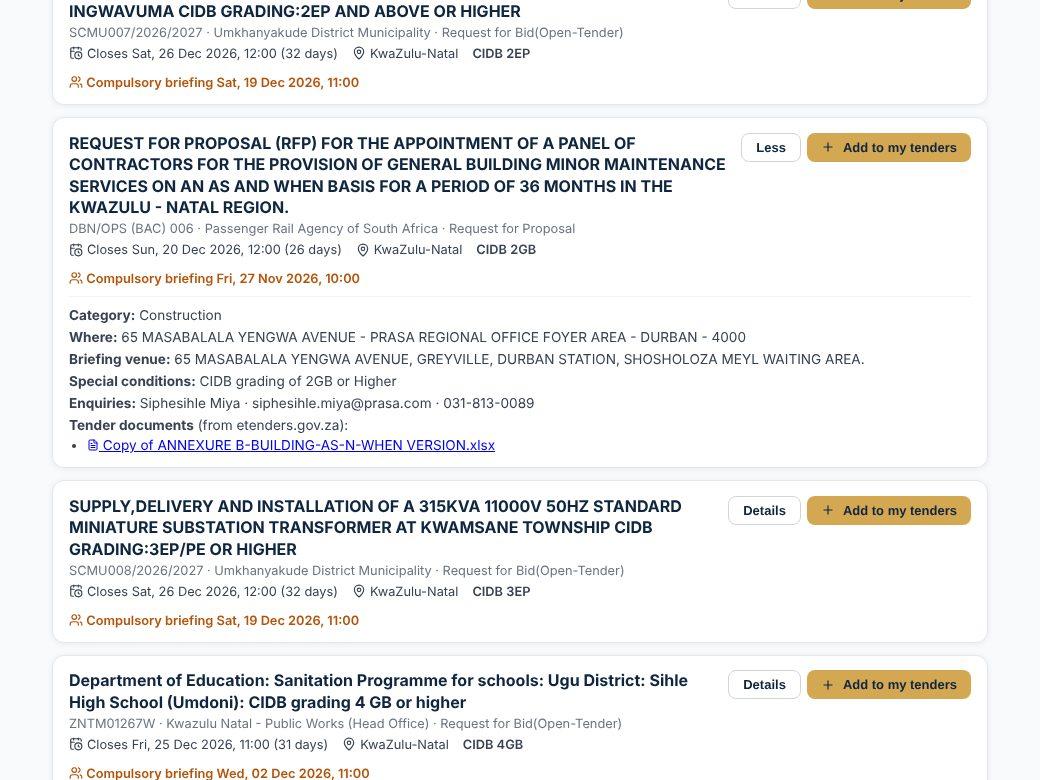
Open the details
See where the work is, the special conditions, who to ask and the tender documents. Add to my tenders brings it in with a checklist made for it.
- 3
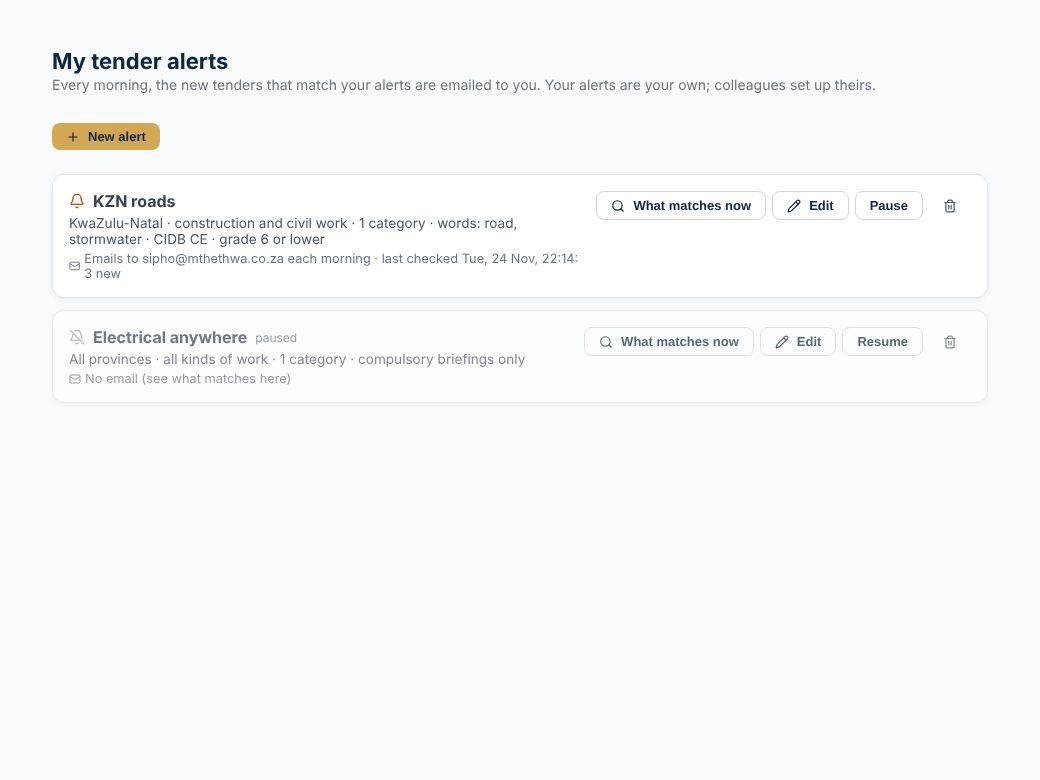
Set up your alerts
Each alert has its own provinces, categories, words and CIDB class and grade. Pause one when you are too busy to bid.
- 4
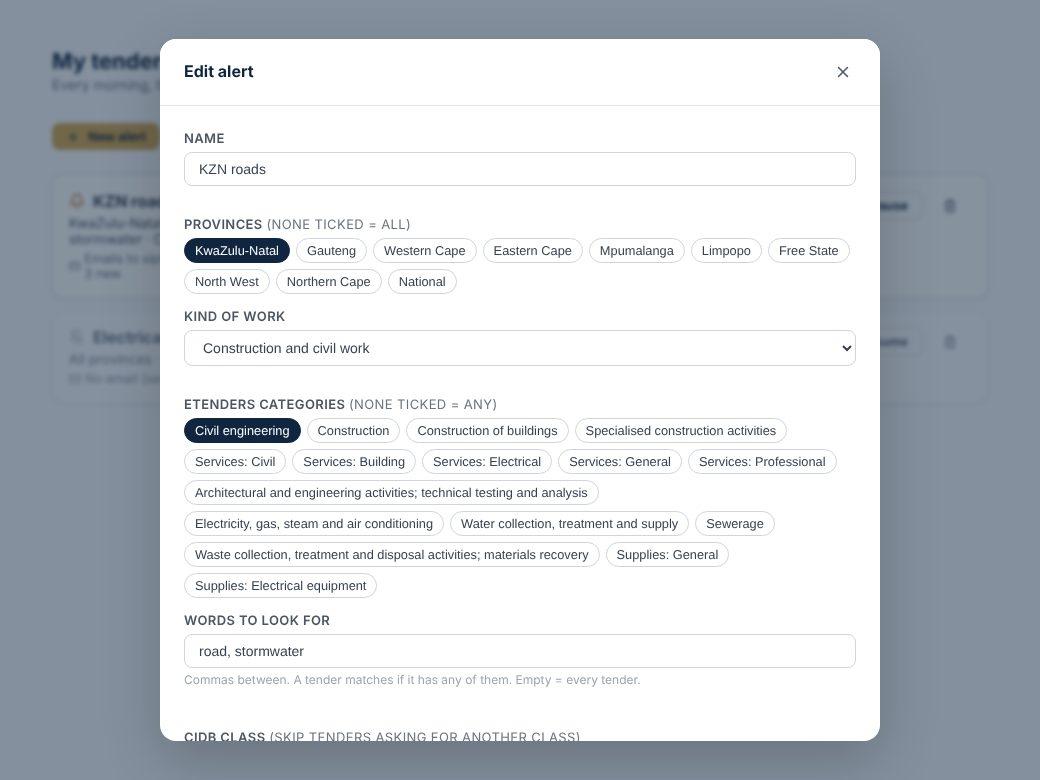
Only tenders you can win
Skip tenders that ask for a CIDB class you don't have or a grade above yours, and see what matches now before you save.
Win more tenders with AmaThenda
Compliance documents, eTenders alerts, tender packs, estimates and quotations on your office PC. R999 a month, 14 days free.