Price a job with an estimate
An estimate prices the job the way you think about it: sections, items and what each item is made of. Prices come from OpDesk's list for your province, moved every month with the Stats SA index, or from your own prices. Open the example to see a whole job priced.
- 1
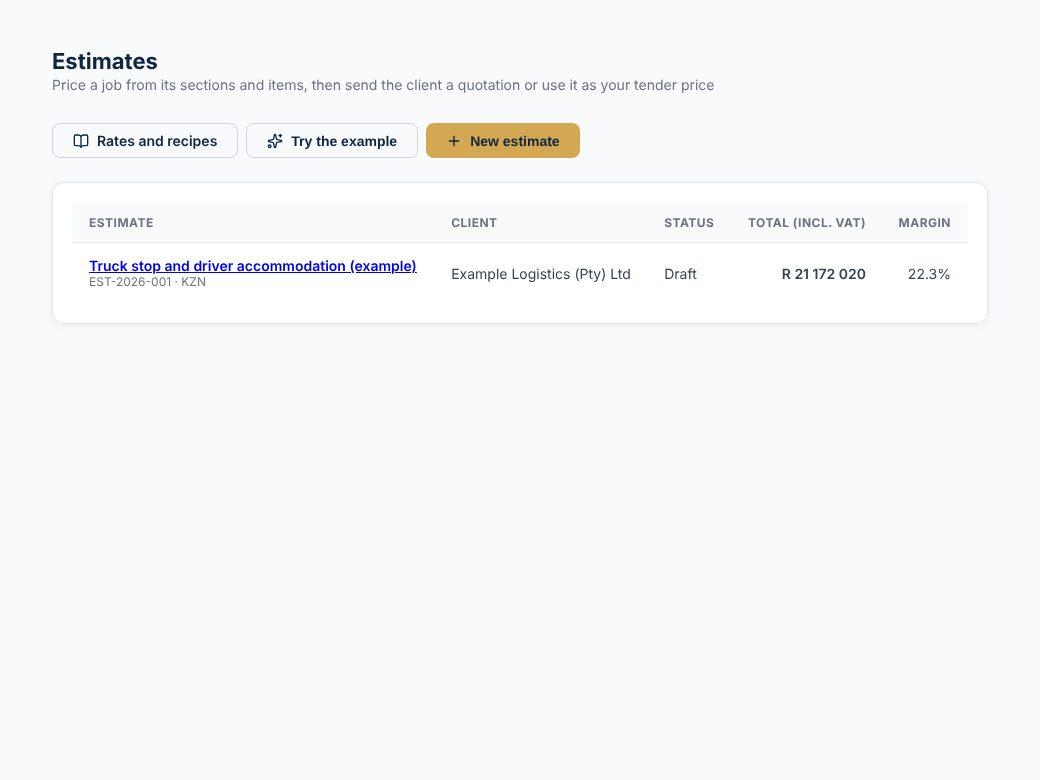
Start an estimate, or open the example
The example is a truck stop with 18 rooms, a workshop and parking for 18 trucks, fully off-grid, priced from top to bottom.
- 2
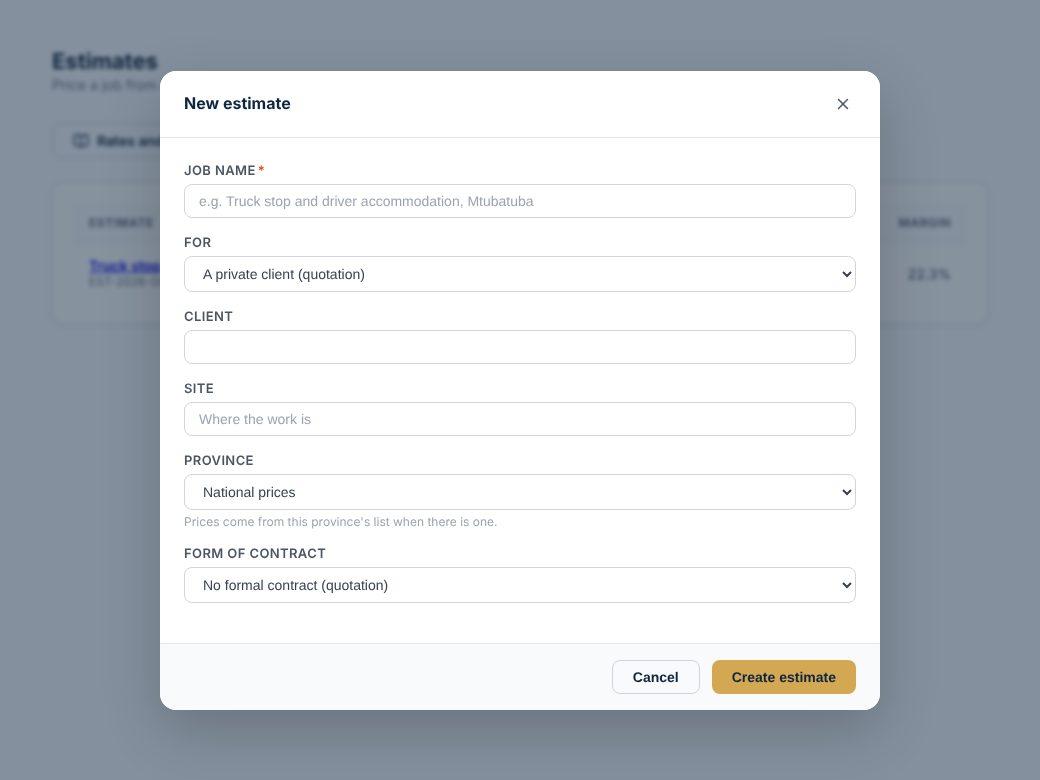
Name the job and the province
Choose a private client or a tender, the province for prices and the form of contract. It starts with the usual sections.
- 3
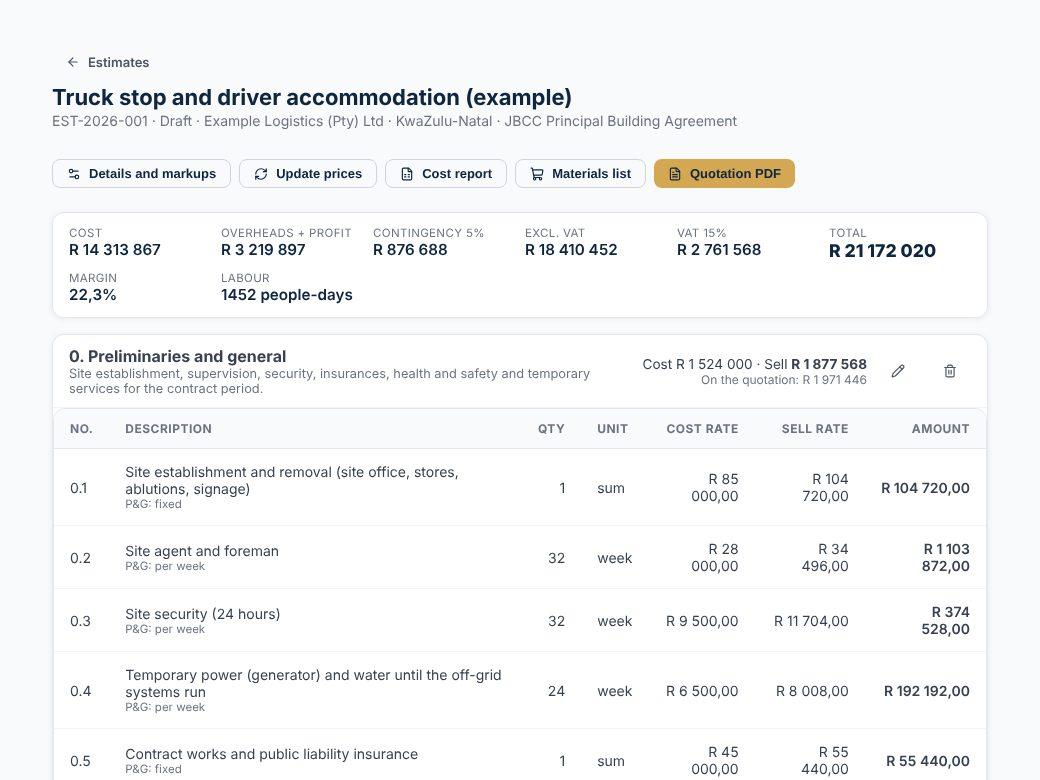
See the whole job at a glance
Cost, overheads and profit, contingency, VAT, margin and labour days, with every section and item underneath.
- 4
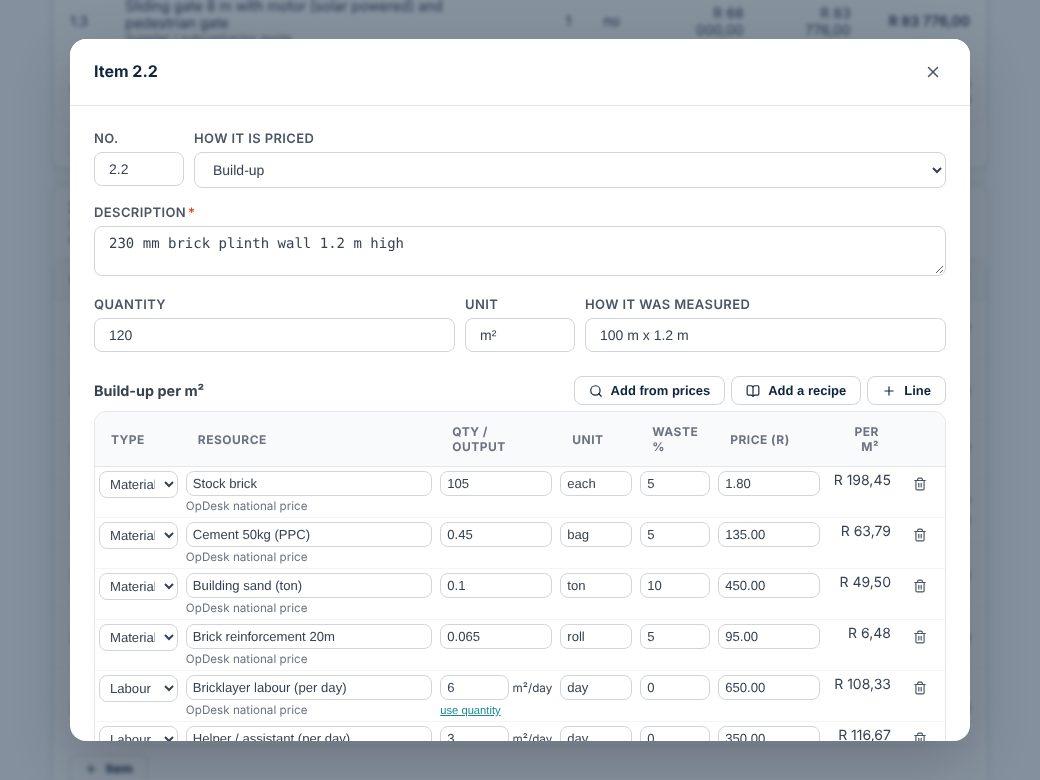
Build up each rate
Add materials, labour and plant from the price list or a recipe. Waste and how much a team does in a day are worked out for you.
Win more tenders with AmaThenda
Compliance documents, eTenders alerts, tender packs, estimates and quotations on your office PC. R999 a month, 14 days free.