Compare supplier prices in your area
Local building merchants keep their trade prices up to date in AmaThenda. See who is cheapest near you for cement, bricks or roof sheeting, and use their prices straight in an estimate.
- 1
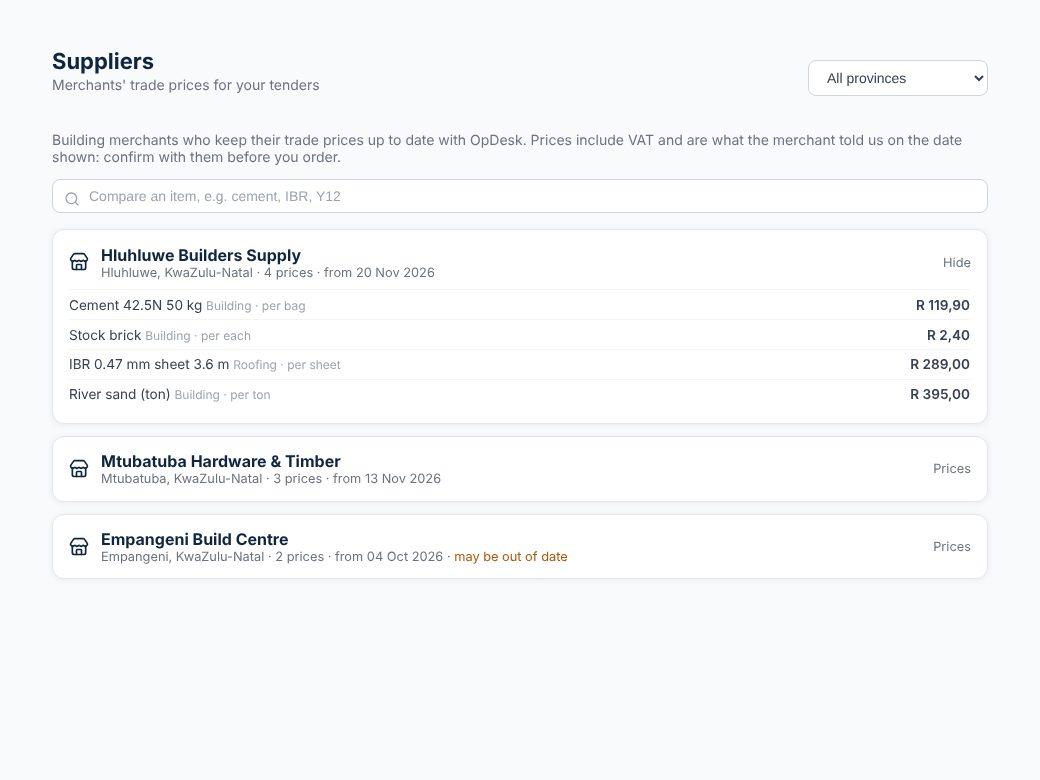
See each supplier's prices
Merchants near you with the date of their prices. Prices older than 45 days are marked so you check before you order.
- 2
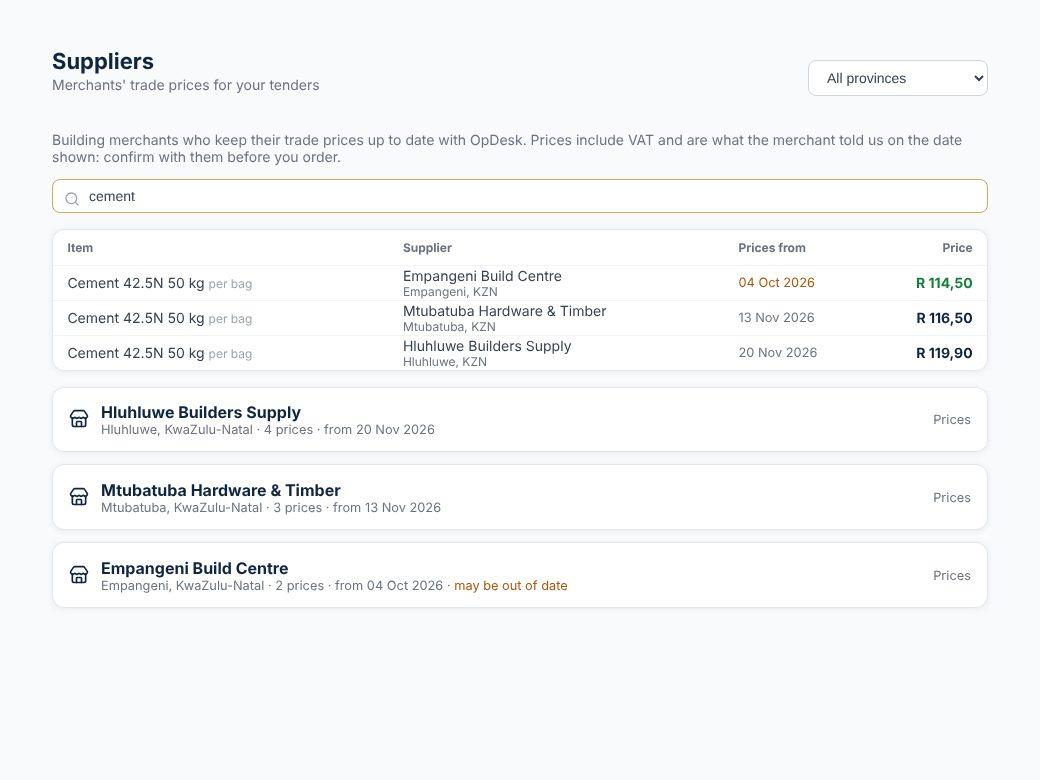
Compare one item
Type cement, IBR or Y12 and see every supplier's price for it, cheapest first.
- 3
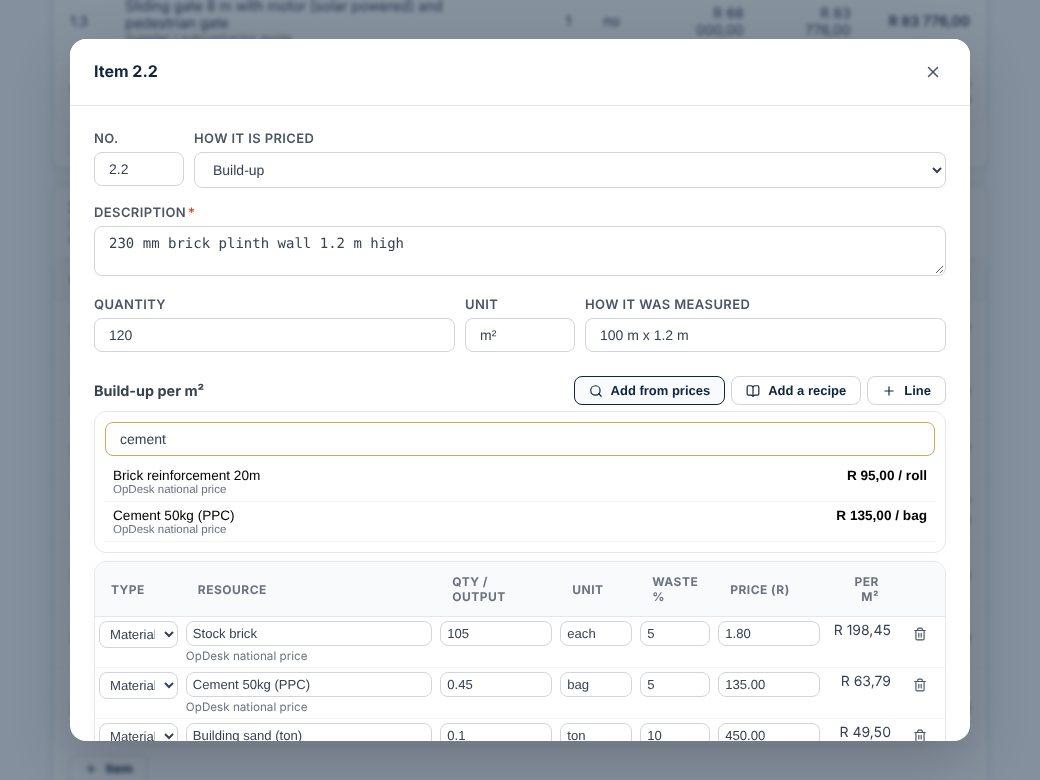
Use the price in your estimate
In an item's build-up, Add from prices searches your own prices, merchants and OpDesk's list together.
Win more tenders with AmaThenda
Compliance documents, eTenders alerts, tender packs, estimates and quotations on your office PC. R999 a month, 14 days free.