Send a quotation from your estimate
When the estimate is done, set your markups and send the client a clean quotation. The client sees section totals, never your costs or markups. You keep a cost report with every item's cost, sell price and margin.
- 1
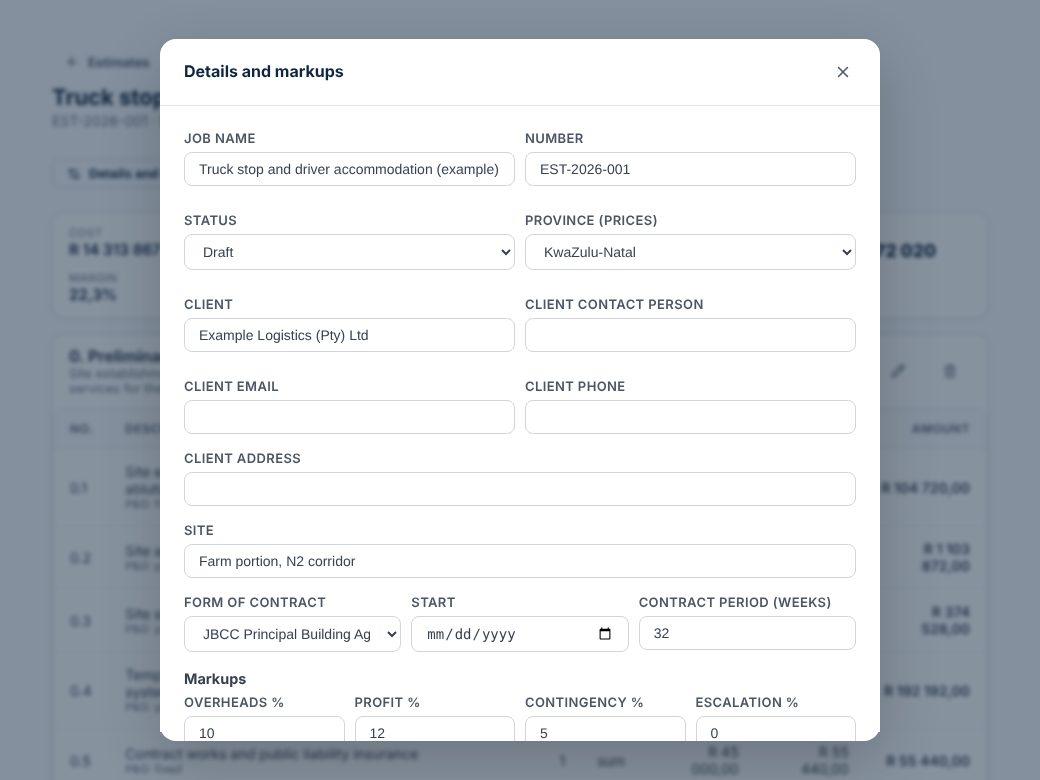
Set the markups and terms
Overheads, profit, contingency and escalation, with overrides per section or item. Add the deposit, payment terms, inclusions and exclusions.
- 2
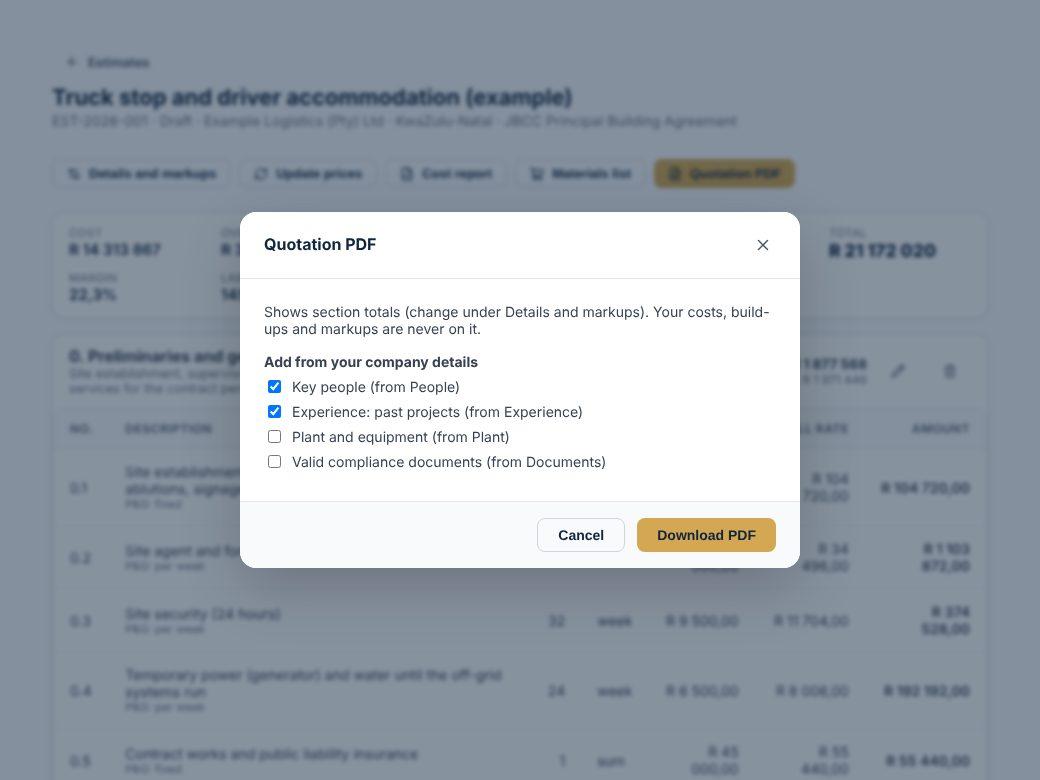
Choose what goes with it
Add your key people, past projects, plant and valid compliance documents as appendices if the client wants them.
- 3
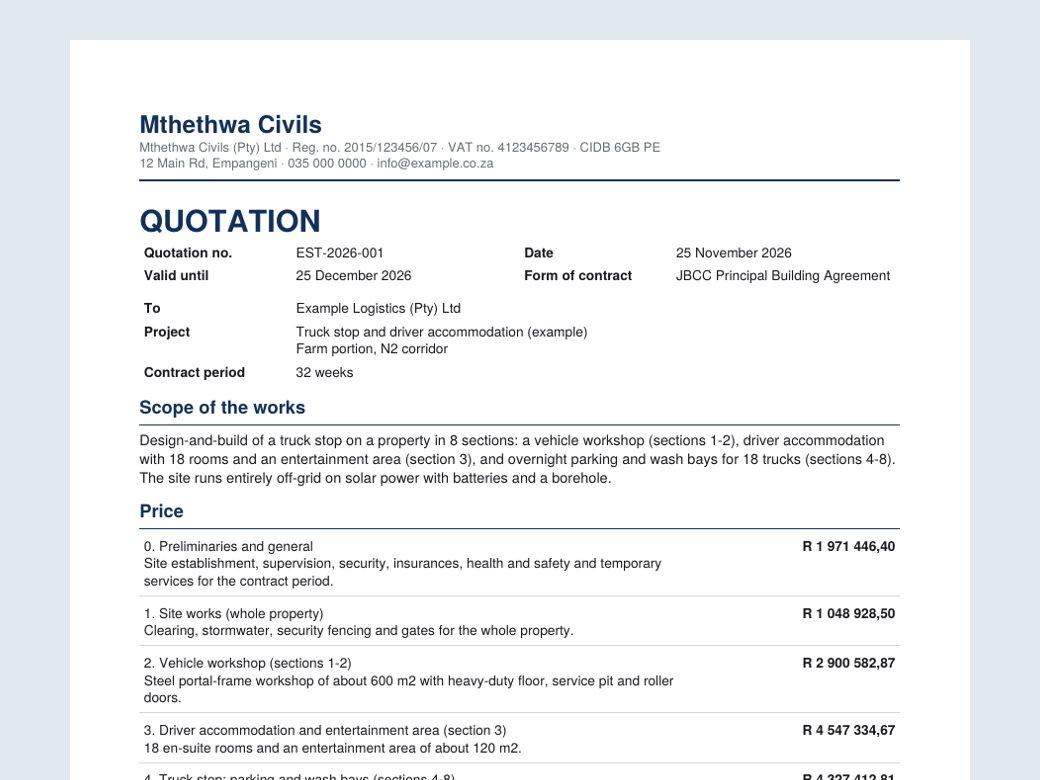
A quotation the client can sign
Your letterhead, the scope, a price per section, VAT, payment terms and an acceptance block.
- 4
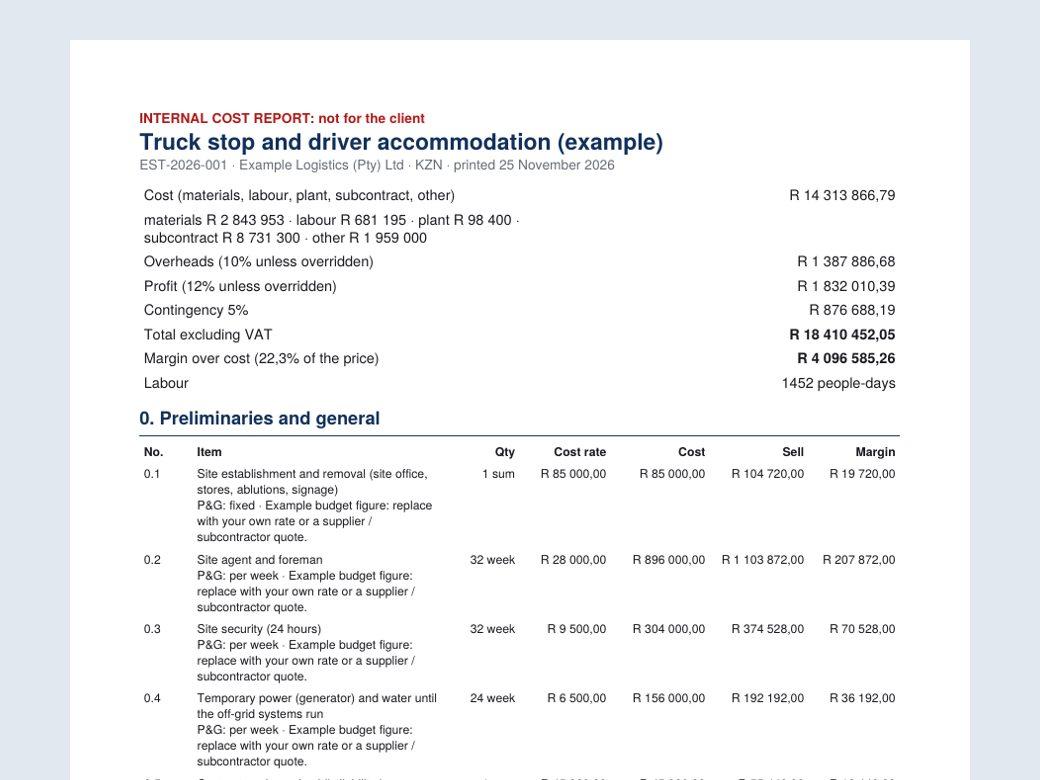
Your own cost report
Cost, sell price and margin for every item, overheads and profit, and the materials to buy. Never sent to the client.
Win more tenders with AmaThenda
Compliance documents, eTenders alerts, tender packs, estimates and quotations on your office PC. R999 a month, 14 days free.